Live race telemetry for Le Mans Ultimate — shared with your whole team, from anywhere.**
What is this?
Race Engineer turns Le Mans Ultimate’s live session data into a real-time dashboard your whole team can watch together — whether you’re the one driving, or a teammate resting between stints in a completely different country.
Built for endurance racing: your team’s car keeps the same number all race, drivers rotate in and out of the seat, and everyone — driving or not — can watch the same live dashboard the whole time.
Features
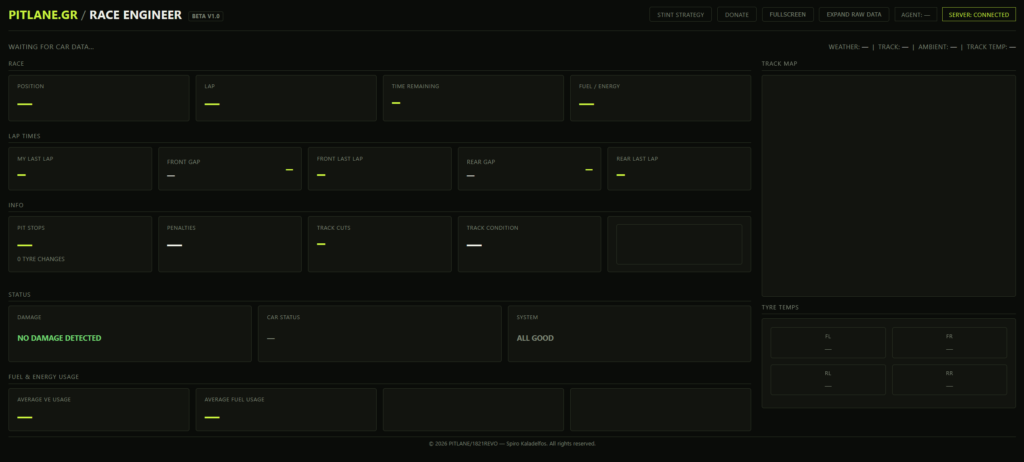
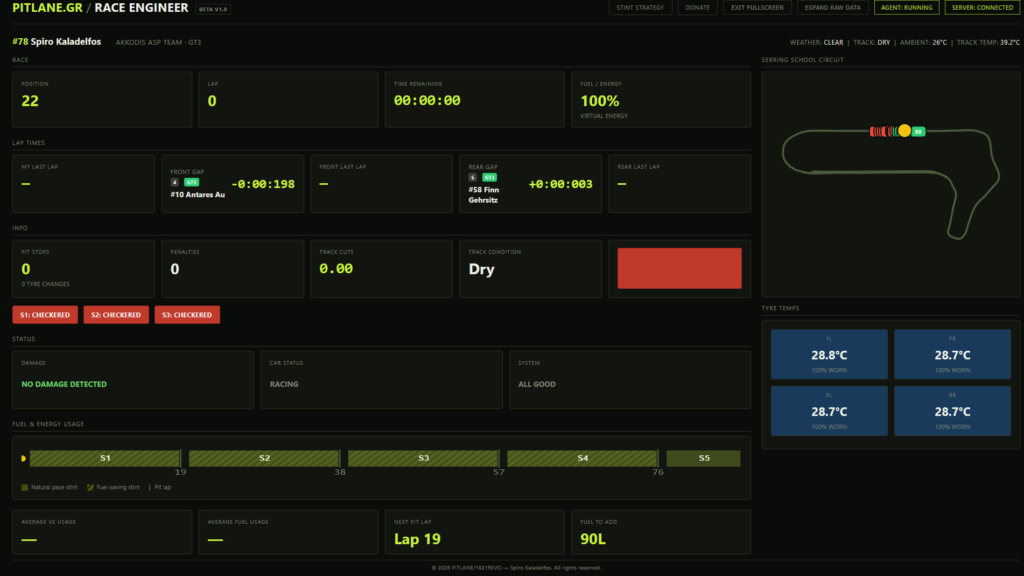
Live car data: position, lap, gaps ahead/behind, fuel/energy, pit stops, penalties
Tyre temperatures (all four corners) and wear, color-coded
Damage detection, including lost wheels and bodywork damage
Track map: Detects the track and scans the track. All cars are shown during a race.
Track flags, with a flashing indicator for yellow/blue conditions
Shared team rooms — no accounts needed, just a private code your team creates and shares Works from any device with a browser — phone, laptop, tablet, anywhere with internet
How it works
Two small pieces work together:
- The agent — a small app that runs on whichever PC is actively driving. It reads Le Mans Ultimate’s local data and sends it out.
- The dashboard — a web page anyone on the team can open, showing the same live data. No installation needed for anyone who’s just watching.
Only the driving PC needs anything installed. Everyone else just needs a link.
Installation
- Windows 10/11
- Python 3.9+ (only needed on the PC that will actually run the agent — during install, tick “Add Python to PATH”). Python will be installed automatically.
- Le Mans Ultimate, with Settings → Gameplay → Enable Plugins turned ON
Steps
1. Download raceengineer-setup.zip and extract it anywhere (Desktop, Downloads — doesn’t matter).
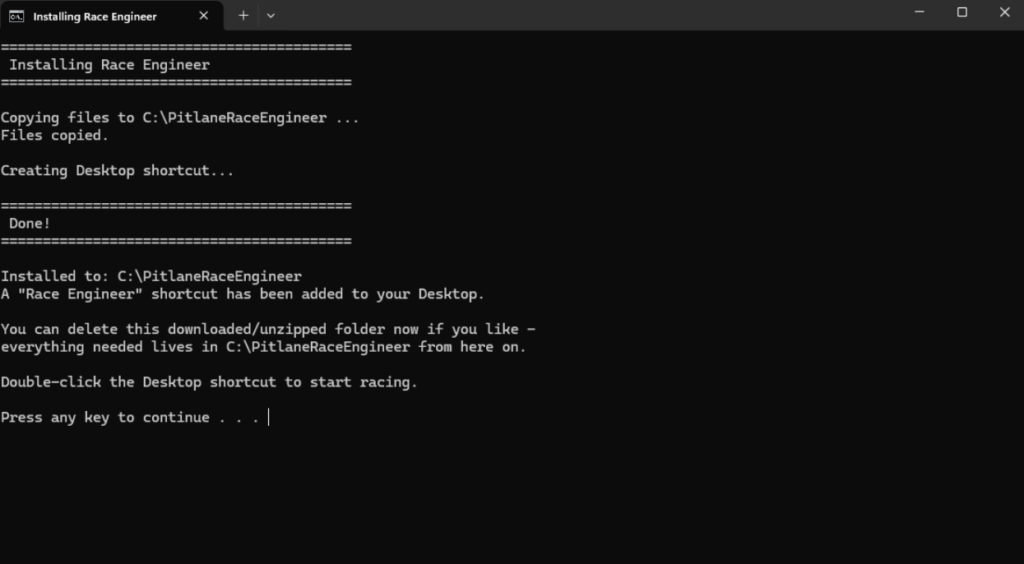
2. Double-click install.bat inside the extracted folder.
3. This copies everything to C:\PitlaneRaceEngineer and creates a “Race Engineer” shortcut on your Desktop.
4. You can delete the extracted zip folder now — everything it needs lives in C:\PitlaneRaceEngineer from here on.
This install step only needs to happen once per PC. Every driver who might race from their own PC should run through this once.
Setup — Creating and Joining a Room
Race Engineer uses **rooms** to keep your team’s data private. Anyone with the room code can watch; nobody else can.
Creating a room (do this once per race/event)
One person on the team visits:
https://raceapp.pitlane.gr/create

This generates a random, private room code (e.g. `K7M2QX`) along with a ready-to-share viewer link. Share the code with your team via Discord, WhatsApp, or however you normally coordinate.
Running the agent (whoever is currently driving)
- Make sure Le Mans Ultimate is running.
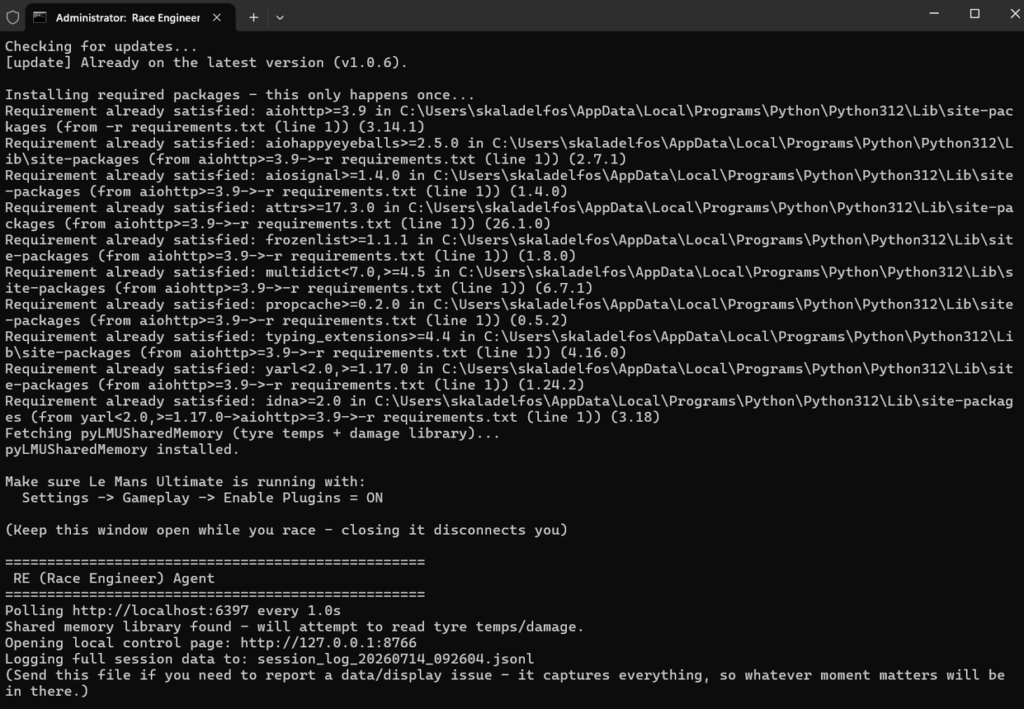
- Double-click the “Race Engineer” shortcut on your Desktop.
- Race Engineer will check for any new updates and install them.
- Race Engineer will open the Race Engineer — Local Control here you can add you room code and the amount of tyres for the race.
- Once you enter your room code Race Engineer opens your team’s shared dashboard automatically in your browser.
You’ll be asked for the room code **every time** you launch it — this is intentional, since the same installed copy might be used for different rooms across different races.
### Watching (everyone else)
No installation needed. Just open the room link shared by whoever created it:
https://raceapp.pitlane.gr/?room=YOUR_ROOM_CODE
Works from any browser, any device, any location.
During a Race
– Keep the agent’s console window open on the driving PC while racing — closing it disconnects everyone from live updates until it’s reopened.
– When a driver’s stint ends and someone else takes over, the new driver runs the agent on their own PC with the same room code — the dashboard keeps working for everyone watching, without them needing to do anything.
– Car number detection is automatic (no need to enter it manually) — this reliably locks onto your team’s actual car within the practice/qualifying window before the race starts.

Known Limitations
This is a beta release. A few things aren’t available yet — not bugs, but genuine gaps in what Le Mans Ultimate’s data currently exposes:
– **Penalty type** (Stop-Go vs Drive-Through) — only whether a penalty is active, not which kind. Check the in-game HUD for the specific type.
– Tyre temps, damage, and driver aids require the driving PC to actually be controlling the car — a pure spectator’s data won’t show these fields for the car they’re watching.
Support
Found a bug or have a feature request? Open an issue on this repository.
https://github.com/skaladelfos-lang/pitlane-race-engineer
© 2026 PITLANE/1821REVO — Spiro Kaladelfos. All rights reserved.