
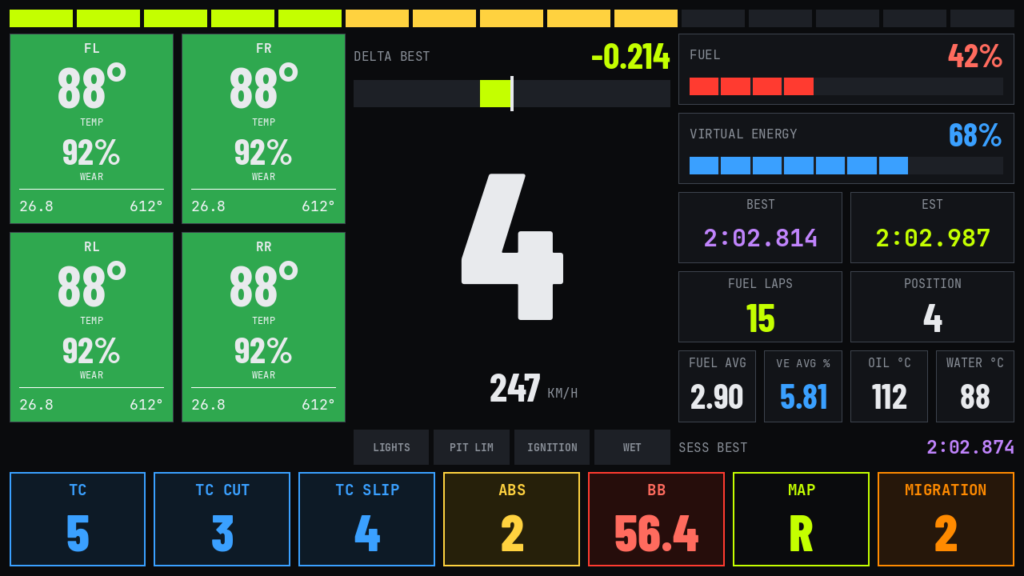
A clean, high-contrast race dash built for long stints. Race, Quali and Pit views switch on their own, tyre boxes turn blue, green or red so you read them without reading them, and Virtual Energy sits right next to your fuel.
FEATURES
Race view
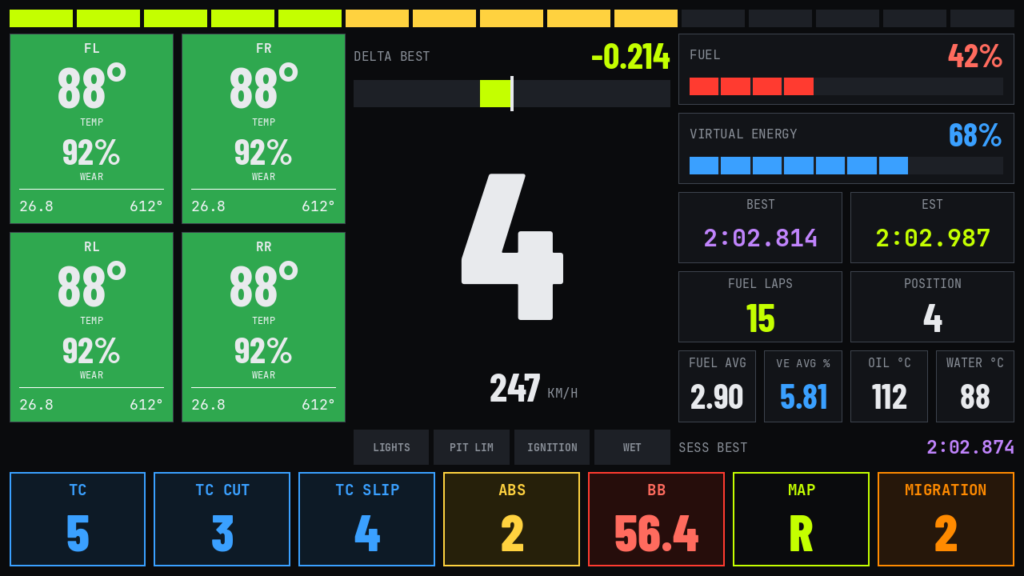
- Full-width shift lights, flash at the limiter
- Big gear and speed, delta to best with bar
- Tyre boxes: temperature and wear in large type, pressure and brake temp below
- Fuel and Virtual Energy bars with %
- Best and estimated lap, fuel laps, position
- Fuel avg, VE avg per lap, oil and water
- Settings row: TC, TC Cut, TC Slip, ABS, BB, Map, Migration
Quali / Hotlap view
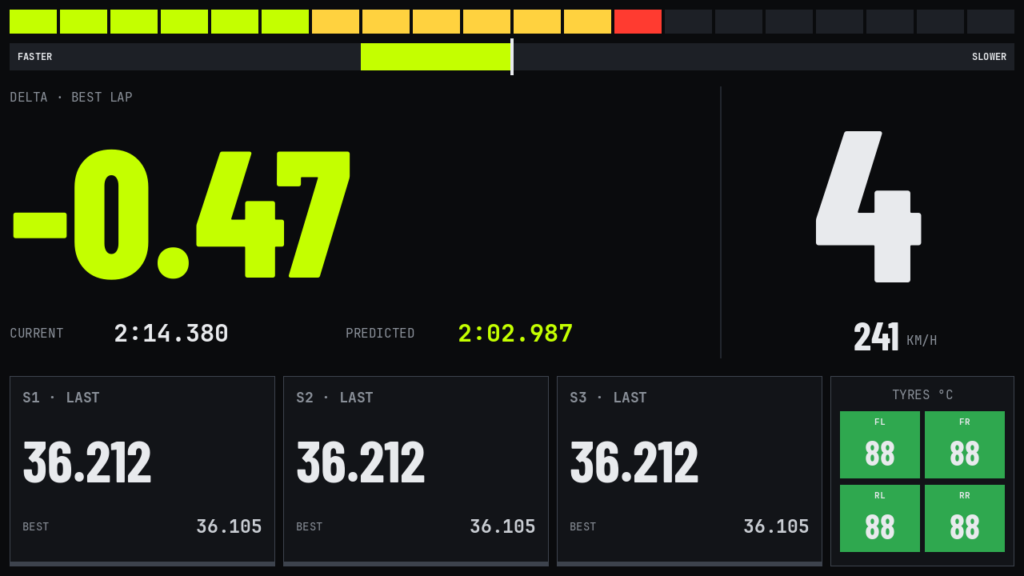
- Huge delta to best lap with a full-width faster / slower bar
- Current and predicted lap time
- S1 · S2 · S3 last and best, turning green on a personal best
- Gear, speed and compact tyre status
Pit view
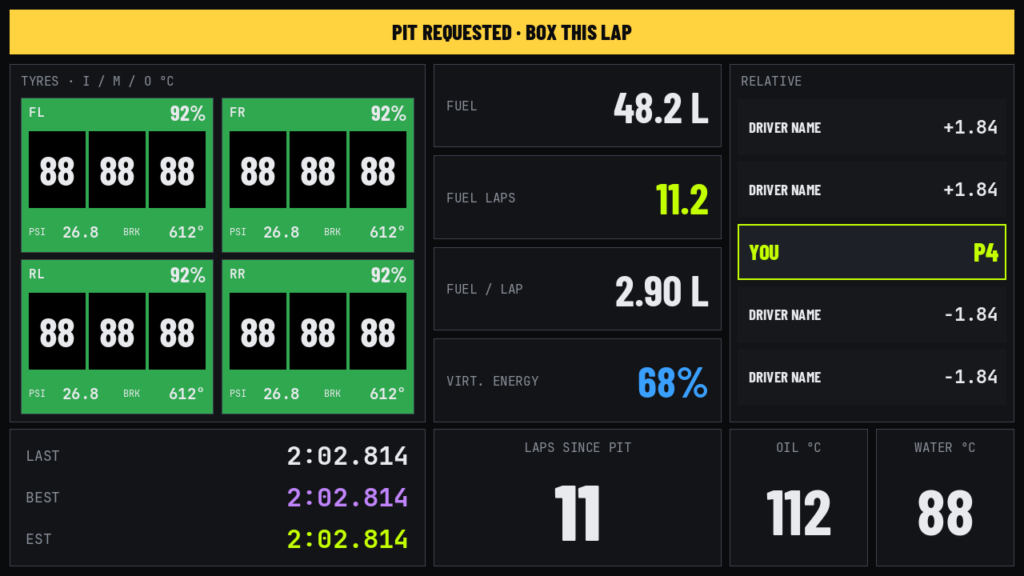
- Banner: Pit requested · box this lap, pit lane, limiter
- Inner / middle / outer temperatures per tyre, wear, pressure, brakes
- Fuel, fuel laps, fuel per lap, Virtual Energy
- Laps since pit, relative gaps, last / best / est lap
Install
- Install the fonts: Unzip the fonts pack, select all four
.ttffiles, right-click and choose Install for all users. SimHub can’t see fonts installed for one user only. - Import the dash: Double-click
pitlane-lmu-endurance-v2.simhubdash, or in SimHub go to Dash Studio → Import. If you had an older version, delete it first. - Restart SimHub: Right-click the SimHub tray icon and choose Exit, then start it again. SimHub only loads new fonts on start-up.
- Drive: Start Le Mans Ultimate. The dash shows the right view for the session and brings up the Pit view when you request a stop.